
Your taxonomy is the structure of categories and sub-categories that Isaac uses to classify customer feedback. Understanding that structure is the first step to trusting the insights you get out of the platform.
The new Taxonomies page and Taxonomy view make this much easier. You can now see every taxonomy you have, drill into the topic tree, and explain it to colleagues.
IN THIS ARTICLE
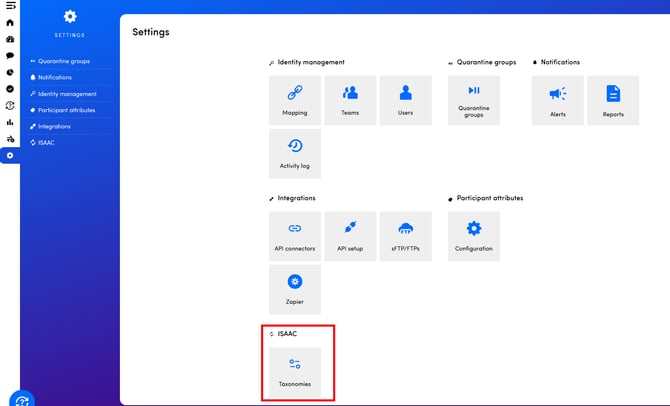
1. Open the Taxonomies section
From the main navigation, open Analyze → Taxonomies.
The section lists every taxonomy in your environment, with:
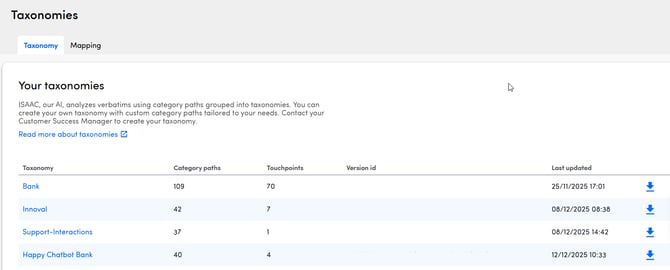
- The taxonomy name
- A short description (if one was added)
- The number of top-level categories
- The touchpoints currently using it
- The last time the taxonomy was modified
- Download button: click it to download a csv with the taxonomy paths
You can also export the taxonomy by clicking on the download icon in the last column of each taxonomy row.
2. Read the Taxonomy view
The Taxonomy view visualizes your topic structure as an expandable tree:
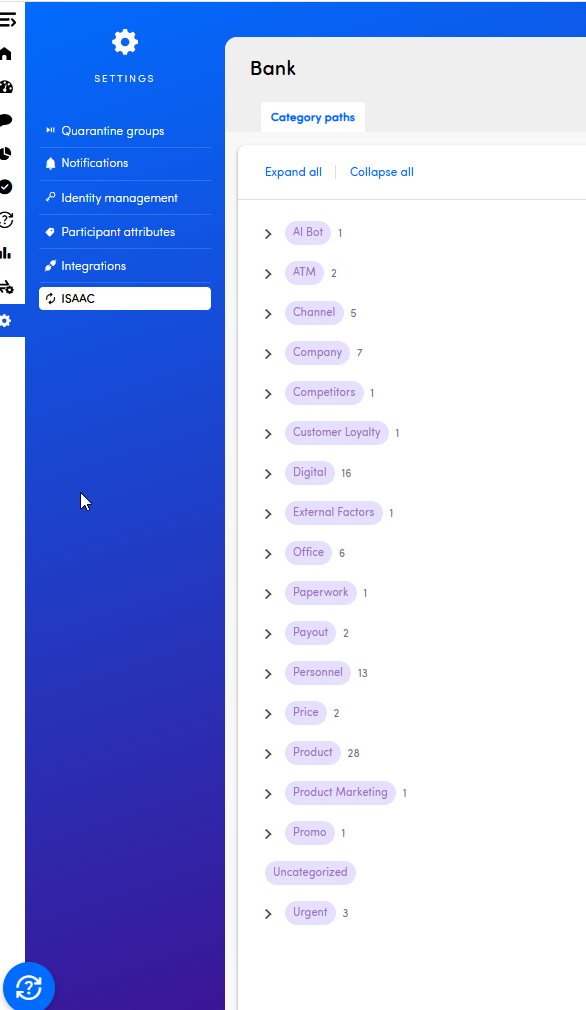
- Top level shows the main themes (for example Service, Pricing, Product)
- Sub-levels show the more specific categories that roll up to each theme
- Click a node to expand or collapse it
- Hover a node to see its full path and a description (if one was set)
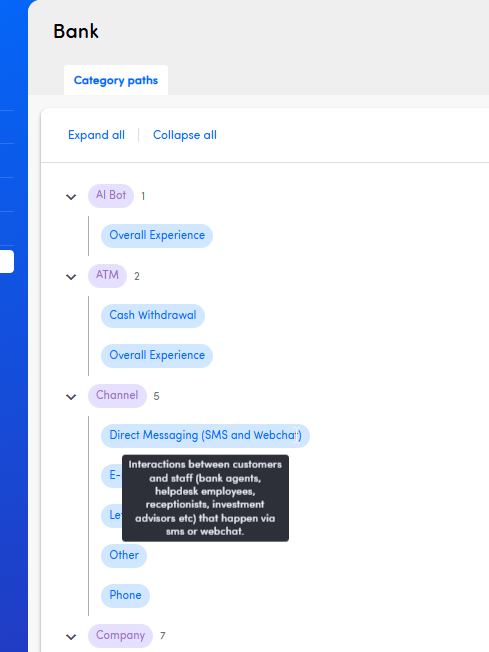
The view is interactive: scroll, zoom, and expand only the branches you care about. This makes large taxonomies much easier to navigate than the previous flat list.
...back to top
3. Frequently asked questions
Can I edit the taxonomy directly in this view?
No. The Taxonomy view is read-only; it's there to help you understand and explain the structure. Updates to the taxonomy would go through your CSM or via a support request.
Why do I see multiple taxonomies?
Larger customers often have one taxonomy per business unit, language, or touchpoint type. The section is the easiest way to see them all at once.
Where does the taxonomy come from?
Your taxonomy is built and maintained together with our analysts during onboarding and refined as your data grows. It's tuned to your business vocabulary, not a generic industry list.